How do you tell if your print marketing is working or not? Advances in analytics and tracking software are making it easier to measure the success of your print marketing and other offline advertising
When you go to an educational conference, you probably expect to learn a couple new tips, hear some new ideas, and meet a few new people. It’s rare that a conference is so jam-packed with valuable knowledge that it impacts how you do business. That’s exactly what happened to us at INBOUND 2017.
The first part of the Tools for Marketers series begins with productivity tools. Productivity is everything for marketing. Any way we can optimize and hack our time for campaigns to achieve the best results is something any marketer strives for. This is why tools for marketers are an imperative part of our daily work for tracking our production.
1. IFTTT
If This Then That is a great way to automate recurring tasks. You setup recipes that connect two of the ever-growing list of apps that triggers a logic for “if this” happens “then that” should happen. For example, you can create a recipe that connects Facebook and Twitter so that whenever you do something specific on Facebook, like share a link, it will also tweet that on Twitter. If you manage a bunch of Facebook pages, IFTTT allows you to choose the specific page you want the actions to trigger for.
There are a lot of other ways you can sync social media platforms, like keeping your social profiles consistent by creating a recipe for when you change a Facebook profile picture to also change it on Twitter.
2. Pocket
Pocket is a plugin and app that you can easily save an online article to read for later on any device you have Pocket on. So when you are in the middle of something but get an e-mail with blog posts that you know you need to read, you can Pocket them for later. But the real power of Pocket is that it is another app that you can integrate into an IFTTT recipe.
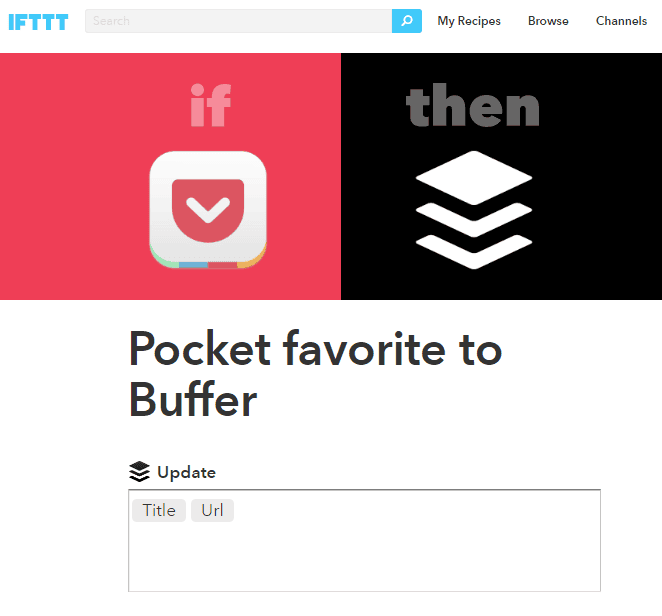
You can connect Pocket to social media platforms to share online, but an even better way is to create a recipe that will take your favorite content from Pocket and add it to your Buffer queue.
3. StayFocusd
With the content overload and social media era that we live in, sometimes you can lose your focus online. StayFocusd is a Chrome extension (and they have similar for Firefox users), that you can set to only allow you to be on certain sites that you choose, like social media or shopping sites, for a limited time every day.
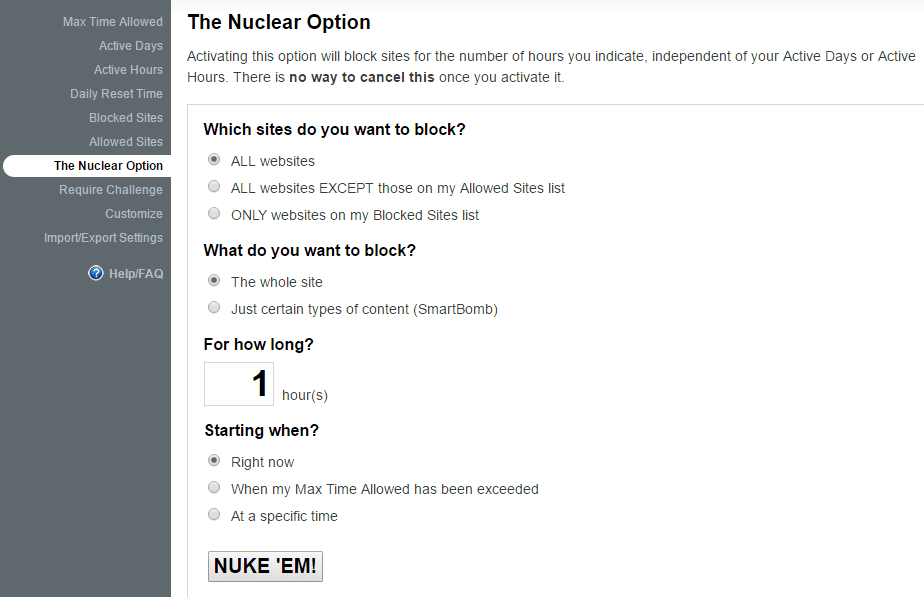
If you really need to finish a project that doesn’t require any research or browsing, they also have a nuclear option that really lets you focus on the project at hand for the length of time you set.
4. Toggl
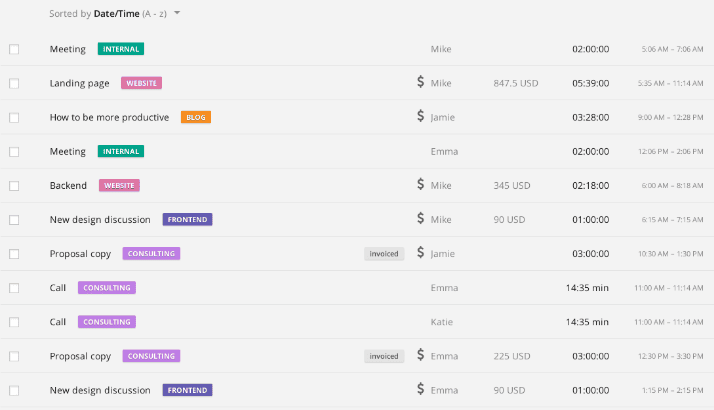
Toggl is a desktop application available for Mac, PC and mobile that allows you to track your time more efficiently as you switch between tasks. They also have a Chrome extension that makes it even more easier for you to track tasks on the go, which also works with dozens of apps and sites like Salesforce, Evernote, Asana, Basecamp, Trello, Google Drive, Wunderlist and many more.
You can assign and track tasks for team members, associate costs to time spent, and get a great overview of how you are spending your time on projects and meetings.
5. Wunderlist
There is a plethora of get-things-done applications out there, but Wunderlist is great for its seamless integration across all of your devices, interacts with other applications like your calendar, and is a great way to brain dump tasks and get them organized and prioritized efficiently.
6. Canva
As humans we are drawn to visuals. As marketers we all need to have the basic capitality of design, whether it’s creating a quick design for a social media post, or it’s adding text overlay to an image.
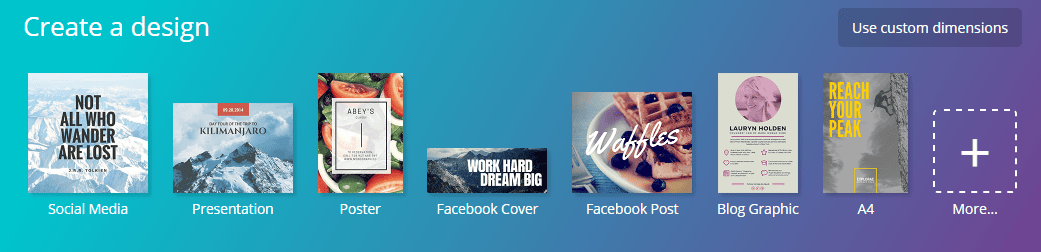
Canva helps by making it easy to find the right resolution for every image for whatever platform you are creating. You can upload images, choose from their library, or buy a stock image, overlay your text, and load it up for social media.
7. LastPass
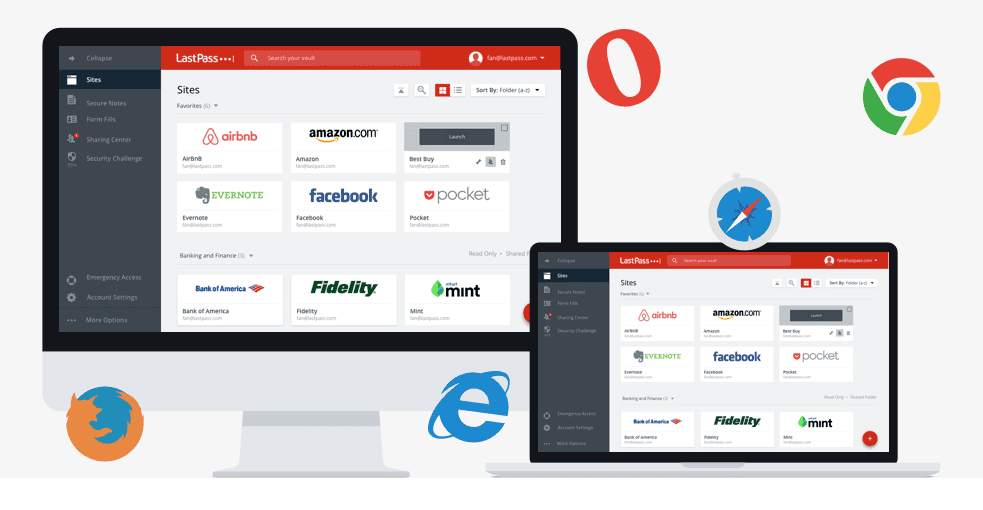
Being able to access your accounts across the internet quickly is important so you aren’t wasting time trying to figure out or recover your passwords. This is especially true if you have a lot of client logins on social media sites. LastPass, while it was breached in 2015, is still one of the best password managers available. With different settings and configurations, you can get into your accounts with ease, or setup new logins with their password generator.
8. Evernote
If you’re keeping notes in notepads or textpads, whether in physical form or on your computer, you’re behind the times. Not just a note taker, Evernote helps to organize thoughts, clip ideas from the internet, automatically save and organize e-mail attachments like receipts, and so much more. It works smoothly across all of your devices for when you have that campaign idea on the go that you need to write down, and also integrates with IFTTT recipes and other apps. This video shows how easy it is to use their Evernote Web Clipper.
9. Rapportive
Owned by LinkedIn and with addons for Chrome and Firefox, Rapportive allows you to dig up information on a contact right from Gmail. It will find any mutual LinkedIn connections you have with them, as well as their Twitter, Skype, website, and other contact information so you don’t have to do any digging.
Let’s say you don’t know the person’s email you are trying to reach out to. By putting in different combinations of their email (first initial, last name, full name, first name, last initial, etc.), Rapportive will display their information in the sidebar once you have found the correct email.
10. Voila Norbert
Not knowing someone’s email address that you want to contact can be a daunting research task if it isn’t readily available with a simple Google search. And if the Rapportive trick doesn’t work, or even before you try that method, you should give Voila Norbert a try. All you need to know is the person’s first and last name as well as there domain address. Norbert does the rest and in most cases will bring back their email address. Just run it through mailtester.com first to verify the email is legit.
From automating recurring tasks, forcing your focus on projects, organizing, prioritizing, and tracking tasks to creating images in a breeze, compiling your ideas and finds from the web, and conducting more efficient outreach, these tools can really help you become a more proficient marketer.
We use these (and a lot more) to make sure we are making the most out of our time for ourselves and our clients. So if you feel like your marketing efforts are too daunting, or just need some more digital marketing tips, then sign-up for our weekly emails featuring the latest tips and trending industry news. And if you’re looking for a marketing agency near you, give us a call. Our marketing company has helped small businesses throughout Lancaster, Harrisburg, and York.
“The more your marketplace knows your brand, the higher your sales and profiles will be.”
That powerful message comes from David Avrin, author of the book, It’s Not Who You Know, It’s Who Knows You. His book contains a wealth of good, practical marketing strategies for small business owners. In this blog post, we’re going to cover four of David’s best common sense tips to keep your company ahead of the competition.
Most business owners will never write a book – period. Most feel too overwhelmed, it’s too big of a task, or it’ll take far too much of their valuable time. Some may think “I’m just not a writer!” and will never make the attempt. Yet others begin and never finish.
What these business owners are missing out on is a huge opportunity to market themselves and their businesses for literally pennies.
In the digital age, some feel that direct mail campaigns are a thing of the past. This couldn’t be further from the truth. Direct mail has the ability to put something tangible and meaningful into the hands of customers and prospects. It’s a great way to keep them on top of your company’s latest news and promotions, and gives you the opportunity to offer tips and advice as added value.
Whether a CAPTCHA or Javascript challenge has been solved.
session
cf_ob_info
The cf_ob_info cookie provides information on: The HTTP Status Code returned by the origin web server. The Ray ID of the original failed request. The data center serving the traffic
session
__cfseq
Sequence rules uses cookies to track the order of requests a user has made and the time between requests and makes them available via Cloudflare Rules. This allows you to write rules that match valid or invalid sequences. The specific cookies used to validate sequences are called sequence cookies.
session
_cfuvid
The _cfuvid cookie is only set when a site uses this option in a Rate Limiting Rule, and is only used to allow the Cloudflare WAF to distinguish individual users who share the same IP address.
session
__cflb
When enabling session affinity with Cloudflare Load Balancer, Cloudflare sets a __cflb cookie with a unique value on the first response to the requesting client. Cloudflare routes future requests to the same origin, optimizing network resource usage. In the event of a failover, Cloudflare sets a new __cflb cookie to direct future requests to the failover pool.
session
__cf_bm
Cloudflare's bot products identify and mitigate automated traffic to protect your site from bad bots. Cloudflare places the __cf_bm cookie on End User devices that access Customer sites that are protected by Bot Management or Bot Fight Mode. The __cf_bm cookie is necessary for the proper functioning of these bot solutions.
session
__cfruid
Used by the content network, Cloudflare, to identify trusted web traffic.
session
cf_chl_rc_m
These cookies are for internal use which allows Cloudflare to identify production issues on clients.
session
cf_chl_rc_ni
These cookies are for internal use which allows Cloudflare to identify production issues on clients.
session
cf_chl_rc_i
These cookies are for internal use which allows Cloudflare to identify production issues on clients.
session
__cfwaitingroom
The __cfwaitingroom cookie is only used to track visitors that access a waiting room enabled host and path combination for a zone. Visitors using a browser that does not accept cookies cannot visit the host and path combination while the waiting room is active.
session
cf_use_ob
The cf_use_ob cookie informs Cloudflare to fetch the requested resource from the Always Online cache on the designated port. Applicable values are: 0, 80, and 443. The cf_ob_info and cf_use_ob cookies are persistent cookies that expire after 30 seconds.
session
Google Tag Manager simplifies the management of marketing tags on your website without code changes.
Name
Description
Duration
td
Registers statistical data on users' behaviour on the website. Used for internal analytics by the website operator.
session
cookiePreferences
Registers cookie preferences of a user
2 years
Google reCAPTCHA helps protect websites from spam and abuse by verifying user interactions through challenges.
Name
Description
Duration
_GRECAPTCHA
Google reCAPTCHA sets a necessary cookie (_GRECAPTCHA) when executed for the purpose of providing its risk analysis.
179 days
WhatConverts is a call tracking and lead intelligence platform that captures and attributes leads — including phone calls, form submissions, and chat interactions — to the marketing campaigns, keywords, and traffic sources that generated them. It uses dynamic number insertion (DNI) to swap phone numbers on the page in real time, enabling accurate tracking of which marketing efforts drive inbound calls and conversions.
Used by WhatConverts to track visitor session data for lead attribution and call tracking on a specific page. The timestamp in the cookie name is unique to the visitor session.
Session
wc_visitor
Used by WhatConverts to store a unique visitor identifier. Links the visitor's session to their marketing source, enabling lead and conversion attribution across visits.
2 years
wc_swap
Used by WhatConverts to manage phone number swapping for dynamic number insertion (DNI). Stores the phone numbers to be swapped on the page to connect visitor sessions to trackable call numbers.
5 minutes
wc_client_current
Used by WhatConverts to store the current visitor's client tracking data including referral source and visit details. Works alongside wc_client to maintain up-to-date attribution data for the active session.
Session
wc_client
Used by WhatConverts to store visitor and client tracking data including referral source, visit details, and visitor ID. Used for lead attribution and connecting marketing sources to conversions.
6 months
Statistics cookies collect information anonymously. This information helps us understand how visitors use our website.
Google Analytics is a powerful tool that tracks and analyzes website traffic for informed marketing decisions.
Used to monitor number of Google Analytics server requests when using Google Tag Manager
1 minute
_gid
ID used to identify users for 24 hours after last activity
24 hours
_ga_
ID used to identify users
2 years
_gali
Used by Google Analytics to determine which links on a page are being clicked
30 seconds
_gac_
Contains information related to marketing campaigns of the user. These are shared with Google AdWords / Google Ads when the Google Ads and Google Analytics accounts are linked together.
90 days
__utmx
Used to determine whether a user is included in an A / B or Multivariate test.
18 months
__utmv
Contains custom information set by the web developer via the _setCustomVar method in Google Analytics. This cookie is updated every time new data is sent to the Google Analytics server.
2 years after last activity
__utmz
Contains information about the traffic source or campaign that directed user to the website. The cookie is set when the GA.js javascript is loaded and updated when data is sent to the Google Anaytics server
6 months after last activity
__utmc
Used only with old Urchin versions of Google Analytics and not with GA.js. Was used to distinguish between new sessions and visits at the end of a session.
End of session (browser)
__utmb
Used to distinguish new sessions and visits. This cookie is set when the GA.js javascript library is loaded and there is no existing __utmb cookie. The cookie is updated every time data is sent to the Google Analytics server.
30 minutes after last activity
__utmt
Used to monitor number of Google Analytics server requests
10 minutes
__utma
ID used to identify users and sessions
2 years after last activity
Clarity is a web analytics service that tracks and reports website traffic.
Used by Google to support cross-domain tracking and conversion measurement. Helps Google Ads attribute conversions to the correct ad click when visitors navigate across multiple domains.
Session
_gcl_au
Used by Google Ads (via Google Tag Manager) to measure ad conversion rates and track the effectiveness of advertising campaigns. Stores a unique identifier to link ad clicks to actions taken on the website.
4 weeks
FPGCLAW
Google uses cookies for advertising, including serving and rendering ads, personalizing ads (depending on your ad settings at g.co/adsettings), limiting the number of times an ad is shown to a user, muting ads you have chosen to stop seeing, and measuring the effectiveness of ads.
90 Days
FPGCLGB
Google uses cookies for advertising, including serving and rendering ads, personalizing ads (depending on your ad settings at g.co/adsettings), limiting the number of times an ad is shown to a user, muting ads you have chosen to stop seeing, and measuring the effectiveness of ads.
90 Days
ADS_VISITOR_ID
Cookie required to use the options and on-site web services
2 months
__Secure-3PSIDCC
Targeting cookie. Used to create a user profile and display relevant and personalised Google Ads to the user.
2 years
__Secure-3PSIDTS
Targeting cookie. Used to create a user profile and display relevant and personalised Google Ads to the user.
2 years
__Secure-1PSIDTS
Targeting cookie. Used to create a user profile and display relevant and personalised Google Ads to the user.
2 years
__Secure-1PAPISID
Targeting cookie. Used to create a user profile and display relevant and personalised Google Ads to the user.
2 years
__Secure-3PSID
Targeting cookie. Used to profile the interests of website visitors and display relevant and personalised Google ads.
2 years
Conversion
Google uses cookies for advertising, including serving and rendering ads, personalizing ads (depending on your ad settings at g.co/adsettings), limiting the number of times an ad is shown to a user, muting ads you have chosen to stop seeing, and measuring the effectiveness of ads.
90 days
_gcl_aw
Google uses cookies for advertising, including serving and rendering ads, personalizing ads (depending on your ad settings at g.co/adsettings), limiting the number of times an ad is shown to a user, muting ads you have chosen to stop seeing, and measuring the effectiveness of ads.
90 Days
_gcl_gs
Google uses cookies for advertising, including serving and rendering ads, personalizing ads (depending on your ad settings at g.co/adsettings), limiting the number of times an ad is shown to a user, muting ads you have chosen to stop seeing, and measuring the effectiveness of ads.
90 Days
_gcl_gb
Google uses cookies for advertising, including serving and rendering ads, personalizing ads (depending on your ad settings at g.co/adsettings), limiting the number of times an ad is shown to a user, muting ads you have chosen to stop seeing, and measuring the effectiveness of ads.
90 Days
_gac_gb_
Google uses cookies for advertising, including serving and rendering ads, personalizing ads (depending on your ad settings at g.co/adsettings), limiting the number of times an ad is shown to a user, muting ads you have chosen to stop seeing, and measuring the effectiveness of ads.
90 Days
AEC
AEC cookies ensure that requests within a browsing session are made by the user, and not by other sites. These cookies prevent malicious sites from acting on behalf of a user without that user's knowledge.
6 months
__Secure-3PAPISID
Profiles the interests of website visitors to serve relevant and personalised ads through retargeting.
2 years
__Secure-1PSIDCC
Targeting cookie. Used to create a user profile and display relevant and personalised Google Ads to the user.
2 years
__Secure-1PSID
Targeting cookie. Used to create a user profile and display relevant and personalised Google Ads to the user.
2 years
Google Maps is a web mapping service providing satellite imagery, real-time navigation, and location-based information.
This cookie is used to play YouTube videos embedded on the website.
2 years
DEVICE_INFO
Used to detect if the visitor has accepted the marketing category in the cookie banner. This cookie is necessary for GDPR-compliance of the website.
179 days
YSC
Registers a unique ID to keep statistics of what videos from YouTube the user has seen.
Session
PREF
This cookie stores your preferences and other information, in particular preferred language, how many search results you wish to be shown on your page, and whether or not you wish to have Google’s SafeSearch filter turned on.
10 years from set/ update
VISITOR_INFO1_LIVE
Tries to estimate the users' bandwidth on pages with integrated YouTube videos. Also used for marketing
179 days
GPS
Registers a unique ID on mobile devices to enable tracking based on geographical GPS location.
1 day
Meta Pixel is an analytics and advertising tool by Meta (Facebook) that tracks visitor activity on your website to enable ad targeting, conversion tracking, and audience building across Facebook and Instagram.
Used by Meta (Facebook) to track website visitors for advertising purposes. Stores a unique browser identifier to enable targeted ads, conversion tracking, and audience building across Facebook and Instagram.
90 days
LiveIntent is an advertising and audience targeting platform that helps brands reach audiences through email newsletters and websites using a people-based identity graph.
Set by LiveIntent to register a unique visitor ID for targeted advertising and behavioral tracking across websites. Used for campaign attribution and building advertising profiles.
30 days
GoHighLevel is an all-in-one marketing, CRM, and call tracking platform. Its LeadConnector backend powers lead capture, call tracking, and dynamic number insertion.
Used by GoHighLevel’s call tracking / Dynamic Number Insertion (DNI) to store the visitor’s assigned tracking type (e.g., “pool”) for number pool management and lead attribution.
12 months
session_id_dloTJBTIT3axdZPqsqxE
Used by GoHighLevel to store the visitor's session ID for call tracking and lead attribution. Part of the LeadConnector visitor tracking system.
Session
poolId_dloTJBTIT3axdZPqsqxE
Used by GoHighLevel to store the assigned number pool ID for dynamic call tracking and visitor lead attribution. Part of the LeadConnector call tracking system.
Session
pool_id_dloTJBTIT3axdZPqsqxE
Used by GoHighLevel's call tracking system to assign visitors to a number pool for dynamic call tracking and lead attribution.
12 months
is_active_dloTJBTIT3axdZPqsqxE
Used by GoHighLevel to track whether a visitor session is currently active. Part of the visitor tracking system used for lead and conversion attribution.
Session
in_progress_pool_id_undefined
Used by GoHighLevel as a fallback tracking cookie when a visitor pool ID has not yet been assigned. Part of the visitor session tracking system for lead and conversion attribution.
Session
in_progress_pool_id_EmBB0f2aYzNj60HNyYsu
Used by GoHighLevel to flag that a visitor pool session is currently in progress. Part of the visitor tracking system used for lead and conversion attribution.
Session
count_dloTJBTIT3axdZPqsqxE
Used by GoHighLevel to count visitor sessions and track lead attribution. Part of a group of cookies that identify and manage visitor pools for call and conversion tracking.